Translate your first PDF
A PDF is the file people are most reluctant to paste into a website — a contract, an invoice, a medical result. This is how you translate one without it ever leaving your Mac.
-
1Add a PDF and check the engine
Documents require Pro or an active trial. Open the files panel and add a PDF. For this guide, choose an on-device translation engine and install its language resources before starting.
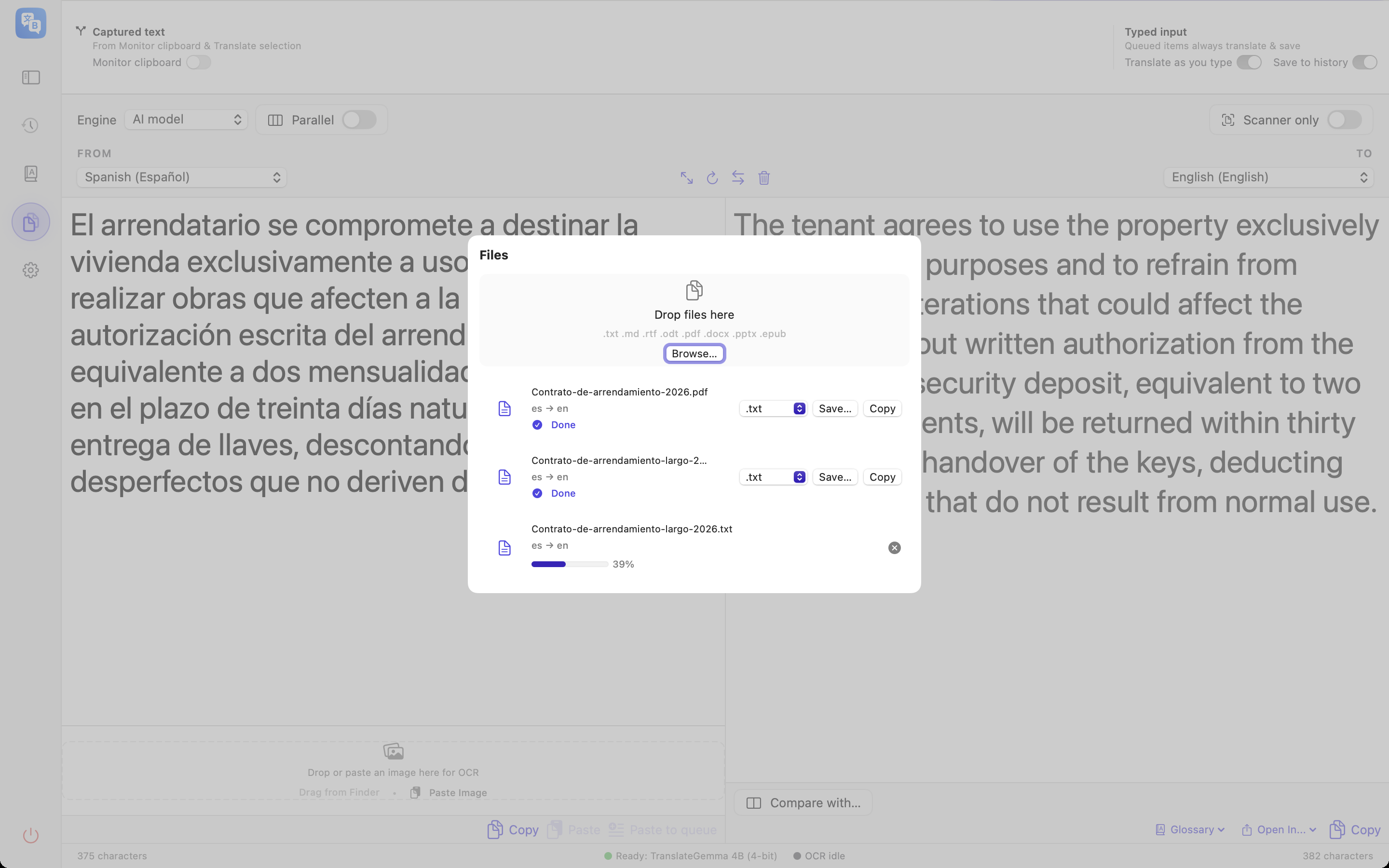
Historical interface illustration; capture version unverified. It does not demonstrate current projects or glossary correction. -
2Pick the language pair
Choose the source and target language above the panels. Leave the source on automatic if you are not sure — the app detects it from the first page of text.
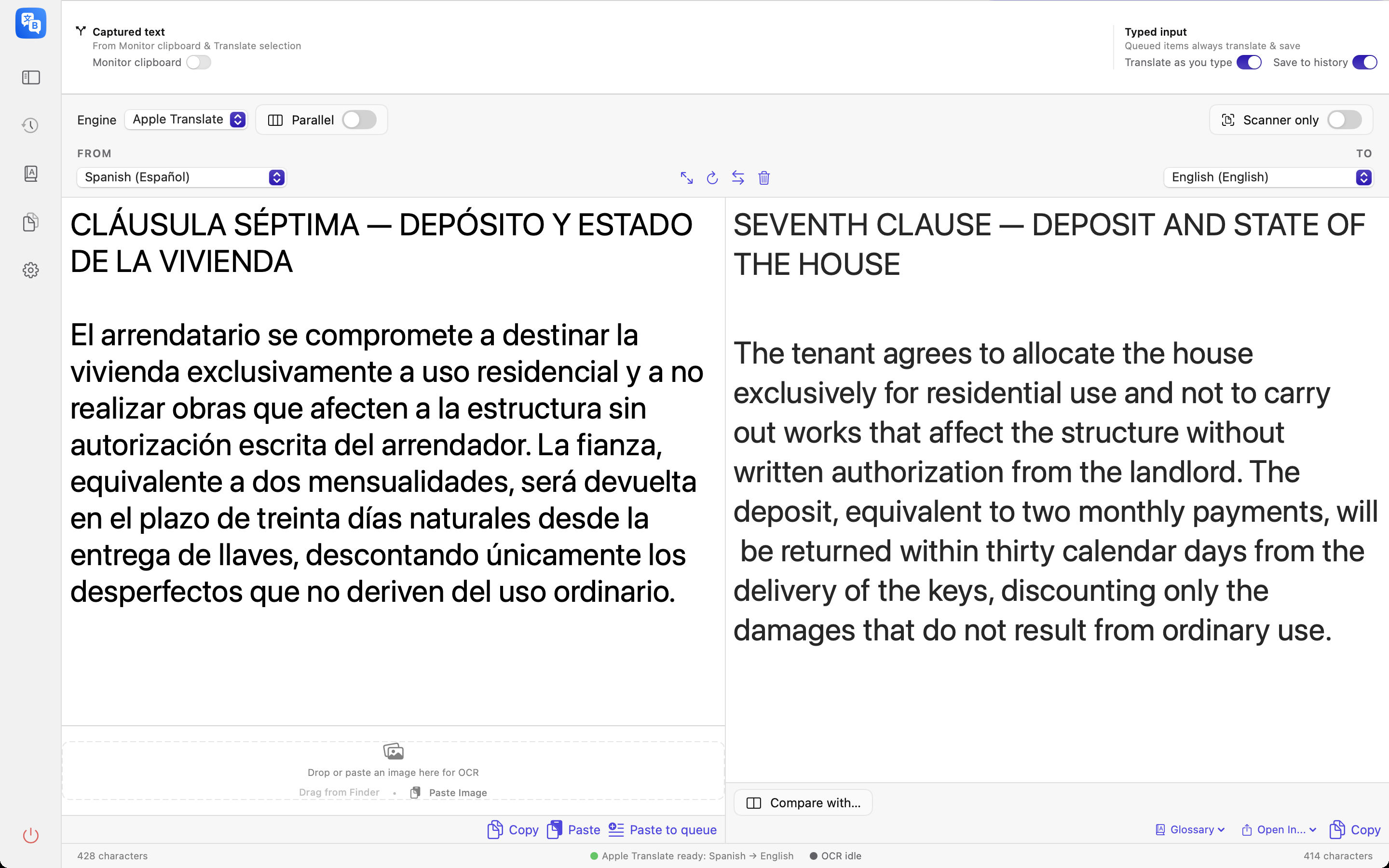
Historical interface illustration; capture version unverified. It does not demonstrate current projects or glossary correction. -
3Translate and review progress
Start translation and watch the reported progress. In a normal project, saved work restores paused. Resume explicitly; completed stages are retained and the smallest interrupted stage may repeat. Private sessions do not persist content. PDF output is text, not a reconstructed PDF.
Historical interface illustration; capture version unverified. It does not demonstrate current projects or glossary correction. -
4Check a page you care about
Review the translated text alongside the source PDF, including OCR accuracy and terminology. Glossary handling depends on the selected engine; check the result after any changes.
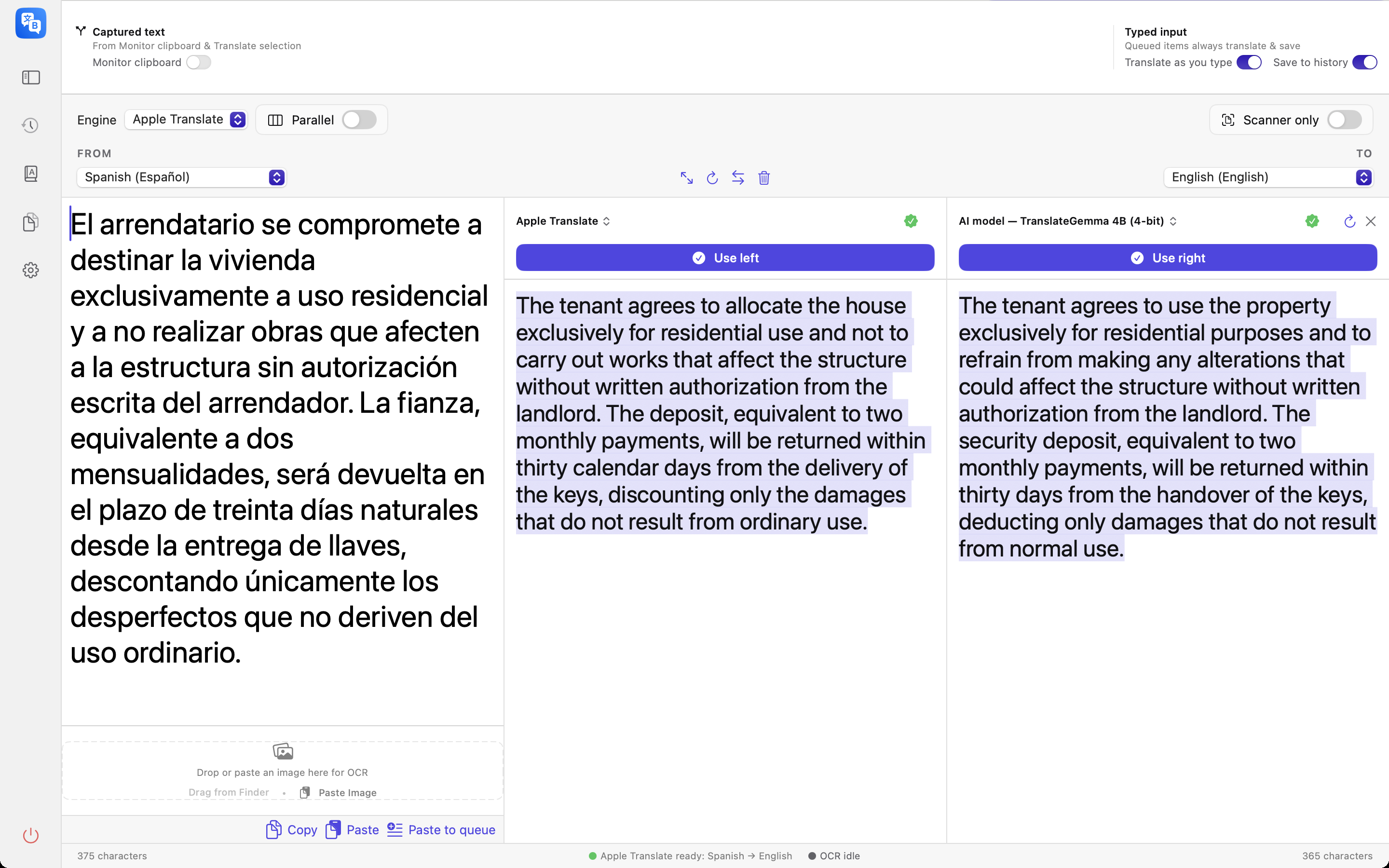
Historical interface illustration; capture version unverified. It does not demonstrate current projects or glossary correction.
Recording not captured
What about scanned PDFs?
Pages without a text layer go through on-device OCR automatically — Apple’s Vision framework first, with a bundled Tesseract fallback for the languages Vision does not read, Polish among them. Mixed documents work too: only the pages that need OCR get it. No OCR model is downloaded and nothing about OCR touches the network.
That is the whole loop
DOCX, PPTX and DRM-free EPUB can also be translated. Their output formats differ from PDF text extraction. Keep the on-device engine selected to process translation on this Mac.
Coming soon to the Mac App Store